Google Updates Chrome's On-Device AI Setting
Google has added more details to Chrome's on-device AI setting, explaining how it works and what happens when enabled or disabled. This update matters because it affects how Chrome uses AI models on users' devices.
Original reporting · searchenginewatch.com
Original: “Google adds storage and Gemini details to Chrome’s on-device AI setting”
Read “Google adds storage and Gemini details to Chrome’s on-device AI setting” at Search Engine Watch →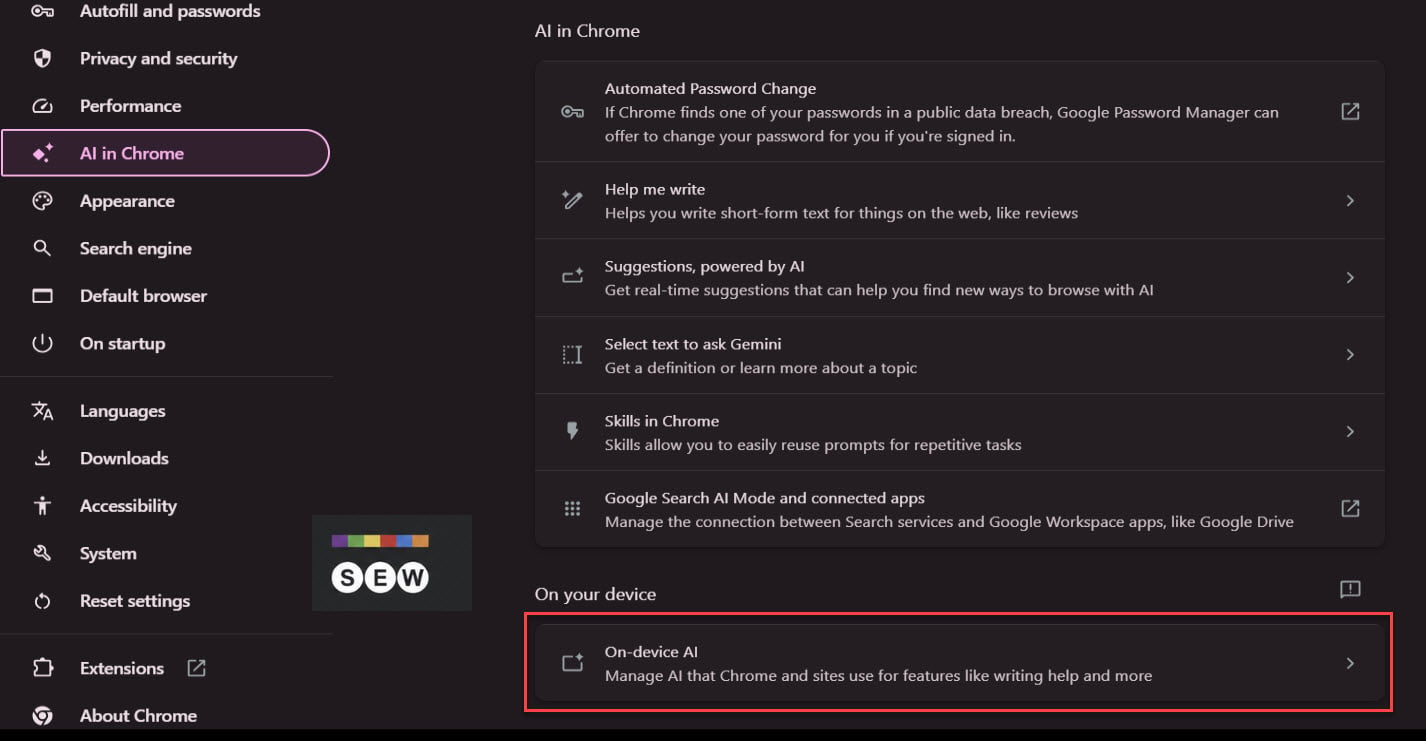
How this was written. Clicktag wrote this article with a language model from Search Engine Watch’s reporting (model: @cf/meta/llama-3.3-70b-instruct-fp8-fast); it describes that reporting rather than adding to it. The original, linked above, is the full story.
Key points from Search Engine Watch’s report
- Google has updated Chrome's on-device AI setting to provide more information about how it works
- The setting allows Chrome and websites to use AI for features like summaries and captions
- The on-device AI setting is separate from Gemini in Chrome
- Enabling the setting downloads and updates AI models, while disabling it removes them
- Devices need to meet certain requirements to download on-device AI models
Google has made changes to Chrome's on-device AI setting in its Canary version, according to Search Engine Watch. The update provides clearer information about how local AI models function. This setting is found under Chrome's settings menu.
The on-device AI setting allows Chrome and websites to use AI for various features, such as generating summaries and captions. Google has also clarified that this setting is separate from Gemini in Chrome. This distinction is important for users who want to understand how their data is being used.
Previously, the description of the on-device AI setting was brief and did not provide much detail. The new description explains what happens when the setting is enabled or disabled. This added transparency helps users make informed decisions about their AI settings.
When the on-device AI setting is enabled, Chrome automatically downloads and updates the necessary AI models. These models take up device storage, and Chrome removes them after a certain period or when storage space is low. The setting also reminds users that websites have their own privacy policies, which may affect how their data is used.
If the on-device AI setting is turned off, Chrome removes the downloaded models and prevents new ones from being downloaded. Google warns that disabling this setting may cause some website features to stop working. This is because some websites rely on the AI models to function properly.
Google has also provided additional information about the requirements for downloading on-device AI models. For example, devices need a certain amount of free disk space and a stable internet connection to download these models. Chrome only downloads the models on devices that meet these requirements, ensuring a smooth user experience.
Questions and answers
What happens when I enable the on-device AI setting?
Chrome automatically downloads and updates the necessary AI models, which take up device storage.
How does the on-device AI setting affect website features?
Disabling the setting may cause some website features to stop working because they rely on the AI models to function properly.
What are the requirements for downloading on-device AI models?
Devices need a certain amount of free disk space and a stable internet connection to download these models.